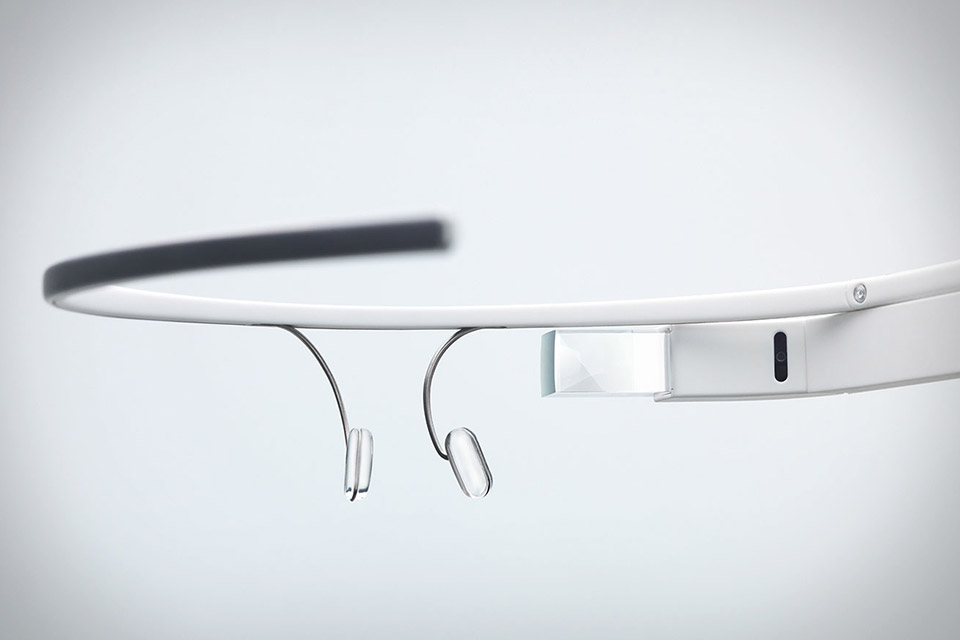
Sunday, May 18, 2014

New App, New Look, and yes, New Software!

My excitement for upgrades continues! A new app for the device which accompanies Glass has been launched and with it one of my least favorite parts of Glass is fixed!

The MyGlass app is downloadable for free on what ever Store your device uses (depending on Android or Apple) and, until recently, it has been a bear to use. It was a single screen you needed to continuously scroll down to get to your apps, settings, contact list etc. At first the simplicity was nice, but now their are more apps and more settings, it was time for a change.


The new look, all aspects of the app are organized on the side menu.

Above you can see the new look of the MyGlass app. its tough to see, but in the background on the main page it shows the device's location and ID, then the user must simply navigate to the left side menu in order  to see the rest of the goods.

These buckets are nice and very user friendly, but the best part is how easy it makes the Glassware to use:


Each app gets one line and its settings can be expanded by simply clicking the app, so simple, right? Before each app had a banner which stretched from one side of the screen to the other with logos and names in different fonts, colors, etc. It was... .... a challenge to use. So much easier now!

I'm going to go use this new interface and report back, oh look, another Glass update is going in, I wonder what this one will bring.


Friday, May 9, 2014

XE16 is here! andddd its gone...

As you can probably guess, I've been ramping up my Glass usage since I got the my brand new Glass unit earlier this week. One of the best parts of receiving this new unit was the long awaited XE16 software which was pre-loaded on it.

Just to clue you in on what a Software update means, this is the platform itself be upgraded, similarly to changing from IOS6 to IOS7 or Windows 7 to Windows 8. It also means just about everything to the Explorers out there, if you don't believe me, check the blogs on software release day, its a little crazy.

So on to the Software update itself. On the Launch date for XE16 I watched all day awaiting  the software update (Glass updates are pushed to devices, there is no way to force an update). When the XE16 platform was downloaded onto my device initially my Glass got stuck in an infinite loop, as was experienced by many other Glass users. This resulted in constant rebooting once reaching the Glass opening screen while the device got warmer and warmer. I would have to wait to receive my new Glass for the XE16 update.

So fast forward to Monday when I received my new Glass. I checked it once it was al set up and what I saw was unexpected but not shocking. The screen displayed the software version XE16.2. I had not heard of this '.2' change, but I am guessing that this update was simply to stop the infinite loop problem. 

Software versions, at this point, were few and far between, so seeing this update was a tad surprising, but then I saw on Facebook that XE17 was set to launch. Already? Why? The short answer I got from the blogs was this update was intended to add new features and fix additional issues caused by XE16. 

Screenshot of the Glass app on Android in the Device Section. Notice XE17 is the software version.

At some point yesterday I got the XE17 update (likely when I was charging the device). I didn't see any groundbreaking changes from XE16.2; however, I hadn't had long to test XE16.2 and I will update you on the functions I see more in the future.

Screenshot of the Device Info section under Settings

Perhaps more updates will be seen as Google gets closer to making Glass commerically available. When XE16 was initially launched we were told it would enable more frequent udates, but 2.3 updates in a week or two is a bit much.

Who knows what the future holds, what I do know, is I'm still happy with the device and its getting easier to use and Google is definitely listening to feedback as I see issues I've had melt away with each update.

And who knows how many more devices I'll get as the explorer program rages on...


Monday, May 5, 2014

In Accessory News...

When Google sent me the email apologizing  for the inconvenience of breaking my Glass, they gave me a pretty great bonus to seal the deal. They offered to replace the Glass, send all new included supplies (a sun Sport lens, charger, bag, ear piece, nose pads, cleaning supplies, etc) and allowed me to pick one accessory from the Glass Store at no charge!

I immediately knew what I wanted, the frame that alluded me when I first ordered Glass, the Bold titanium. I wasn't sure if it would be included since it carried a $250.00 price tag, but it was worth a shot, and it paid off when I opened the box containing my new Glass and supplies!

Side-by-side Comparison


Bold frame right, Split frame left.

As you can see, these frames are some one similar with the main difference, being the thicker lower rim on the Bold. This gives it the classic thick, full frame I am used to. Other then that, the arms are very similar between the frames and no, neither of these frames fold (I admit, it's a tad tedious that they aren't more compact).

Four Faces of Glass

In addition to the side-by-side comparison, I had to include the picture of all of the looks I have tried thus far.

 
Bold w/ Glass far left, Sport Lens left, Split frame right, Classic Glass on Stock empty frame far right
 
As you can see, this device can indeed be personalized. These are the looks I have tried so far; however, its important to remember that their are two frames, three lenses, and a number of colors not represented here.
 
 
Be you, be transparent, be Glass


Seeing Double?

So your probably wondering why I haven't posted in a while, and I owe you an explanation. For one, life got in the way, work was crazy and life was crazier; however, my second reason is more interesting, especially for the audience of this Blog.

As with any early testing, their are screw ups. I expected something to go wrong in this awesome explorer test, and it did. You may have heard that recently Google released the new XE16 Glass interface (aka Kit Kat even though it's nothing like the Android device interface). When this interface was loaded onto some of the older Glass units they malfunctioned. I was one such victim, this caused a chain reaction of the 6 stages of Glass Grief.

  1. Panic. Why is my Glass busted!? What do I do!? I paid for this?! I'm confused and alone!!
  2. Despair. I don't know what to do. This is a lost cause. Woe is me. Sad face etc.
  3. Surprise. Turns out the Glass Team is incredible and will simply ship me another one immediately!!
  4. Yearning. When is it gonnnaaa beee hereeeeeeeeee. Let me check the tracking infor every three seconds.
  5. Excitement. It's hereeeeeeeeeeeeeeeeeeeeeeeeeeeeeee!!!!!! How fast can I open this without destroying the pretty packaging?
  6. Bonding. Finding all of the reasons why this is the new unit is better then the old one.
Here is the picture of both Glass units. Truly a beautiful site. A kind of old-meets-new piece really.

 
On to a new chapter in Glass. the XE16 interface and brand new accessories. I'll do better at posting now, promise.

Sunday, February 16, 2014

What Do I See, and What do They See??

A recurring theme of this blog will be the appearance of Glass, because as I have said before, though it is technologically advance d beyond what I thought possible, if its ugly I simply will not wear it. I expect many readers would have a similar set of priorities, so lets discuss the 1st and 2nd person view.

They See:
So here are three of the key angles other people will witness you in straight on, 45 degrees to the right, and 45 degrees to the left. Why do I cover only these angles, simply put: Its easiest to take pictures of myself at these angles, I'm not wearing glass on the back of my head, and these are the angles people you are interacting with will see you from, so they are most important in my book.
  • Straight on. Yes, I'm a walking, talking cliché blogging at Starbucks, but lets move past that. This is me, wearing my Glass, and, as you can see, Glass is on. I am on the "ok glass" menu (described in detail in my previous post) and if you zoom in you can clearly see that this is what I am looking at, answering the question, "Can people see what your doing when your on Glass?" They will have to squint and interpret the mirror image, but they can get an idea of what you're up to in most cases.

  •  Looking from the left (the onlooker's left). Ok, I look a little space aged here, no doubt, but the height of the Glass module is not to far off from my Ray Ban Wayfarers so the look isn't that strange comparatively. Also, the bulk of the unit is out of the average person's visual range, so don't worry about sight impairment.

  •  Looking from the Right (the onlooker's right). This really isn't and odd angle, the glass unit is clearly behind the head and the arm really isn't that obtrusive. It looks a tad bulkier then it truly appears since I took the picture from a lower angle, but I'm not a photographer so you must forgive my lack of skill! 
 
 
You See:
So what does the Glass User actually see? I will continue providing screen shots in my posts, but many people are far more concerned with what they see as it pertains to their total visual field. I will attempt to give you some idea here:
  • The Camera Shot of Glass Catastrophe. I've said it once, and I'll say it again, I'm not a photographer, which explains why I consider this picture a catastrophe. Trying to hold my phone, and glass, and make sure neither hibernates, was a challenge, and it yielded the result below. That being said, I think it offers some interesting insights into what glass looks like from a different angle. (the glass is low lit because its the only way I could get a picture without distortion, In reality the image appears completely solid, again, not a photographer!)
 
  • Better examples of what looking through glass is like are seen on YouTube. These are what I looked at prior to getting Glass and they are definitely the clearest examples of what it is like:
Final Thoughts
Don't be afraid of the look, it feels natural, and the look is more interesting than it is unattractive. As far as seeing the world, since only on small field of one eyes visual range is utilized, you can still see everything you could without glass, your just adding a little more.
 
Its a new look and a new life, challenge the ordinary.


The Power of Two Little Words: "ok glass"

Immediately upon receiving Glass it is critical that you understand the true meaning of "Ok Glass." If you do not own Glass or have not tried Glass this concept is foreign to you, so let me explain.

Ok, when you turn on glass or wake it up by tapping the tight arm or tilting your head to the "Wake Up Angle" (we will get into that later) this is the screen you are presented with:


Since this is the opening screen, a Glass user  will become very familiar with this image very quickly. As you can see it displays the time (which is handy since looking up is faster then bringing up a watch to view) as well as the phrase "ok glass." This solitary instruction opens up the user to a whole world of abililties never before accessible in such a natural way.
 
"ok glass"
Say it loud, say it soft, say it with an accent, Google will hear you. The voice recognition on this device is phenomenal, as it should be considering this is your primary means of controlling the device. Once you say, scream, whisper, or mutter "ok glass" this screen is displayed:
 

ok glass Menu
At first glance this menu looks typical, simple, and maybe even a little restrictive, I know because I shared this underwhelming feeling the first time I turned on Glass. I recall my thoughts to be something like: "What the heck, I can only search. take pictures, text call, and record videos? I want more!" But there was more to this little screen, so so much more:
  • Glassware adds to the functions on this menu. Think of Glassware like your apps, in fact, at first I was confused as to why they weren't called apps, but now its clear. When you download Glassware, like YouTube or Google Play, there is not an icon for the function, rather, the functionalities are added to the already present Glass menus and functions. Example: By downloading YouTube the "Upload to YouTube" menu is built into the Glass video recorder. For Google Play, the menu option "listen to" is added to the above menu, and the music icon is added to the main menu (discussed later). So what looked like a short menu when I started has grown substantially as I have added Glassware making it more useful and much more impressive.
  • Go ahead, look around, see what your missing. At first you may ask yourself why this easily accessible menu only has five options, the answer is simple, it doesn't. Look up and down by tilting your head slightly and you can scroll up and down this list which will display more and more commands as you get more comfortable with Glassware. If you are looking  to impress friends, get them to this menu and tell them to look around, then watch their jaw drop.
  • After you get comfortable, this menu is no longer necessary. If you know your commands, don't feel like you have to use this menu, it is merely a reference tool, it does not need ot be up for you to start telling Glass what to do, so don't talk choppy. The commands seem conversational because they are, because that is what a natural internal dialogue is like, so get comfortable and chat. Today I was driving (using Glass GPS) and I wanted to give a friend the heads up that I was on the way so I simply said: "Ok glass, send a message to John Doe, I'll be their in five minutes" Once that was said Google put together the message, displayed it for a quick second to let me opt out if necessary, then sent it. No distraction, no phone, no buttons, just a quick command. This is the meaning of accessibility
Layer 1.
The "ok glass" screen is a part of what I refer to as Layer 1. I call it this because if I scroll right  (using the right temple touch pad) I get to my Glass Timeline, if I scroll left I get to GPS and settings. To get into each application without using voice control (because lets be real, you don't want to look crazy constantly talking to yourself) simply scroll down to get into Layer 2.

Don't be shy, tell Glass what to do, its always listening.


Friday, February 14, 2014

The Big Issue: The Look

The Big Issue: The Look

Typically when an invention with virtually infinite potential is offered to the public the first question asked isn't, "But how does it look?" I found it odd when I was in the ordering process that I spent the most time worrying about the frame designs and colors rather then on the price, tech accessories, and evey other consideration combined. My first thought after checkout was a "how vein of me" type response, but after further examination, this thing is on your face, its a part of how you are perceived by the world at large, yea it better be sexy.

That being said lets look at the first Glass Frames designs, The Titanium Collection

The Split
So to start out, I have a clear Bias, this is the model I have. It is a thin all titanium frame which encases the entire lens (no wire). A basic and even classic design with elegant lines which take away from the bulkiness of the Glass module. I enjoy mine and would recommend these to a potential Glass buyer.


The Thin
A frame which exemplifies its name, The Thin is indeed thin. I'm not personally as much of a fan of this frame because it is very standard as frames go. Thin all the way around with, in my opinion, no truly defining markers. If you are looking for something that may look like the glasses you wear, these may be it.


The Curve
I like this frame a lot, it has a curvy brow with a fairly uniform thickness around the lens. Now, this is a "unisex" lens; however, the curvy nature and sharp corners would frame a woman's face in a wonderfully feminine way. Guys, if you're looking for a thick, retro look, the next frame is for you.

The Bold

This is the frame I would have picked had they been in stock when I was buying my Glass. From what I understand this was the first frame to sell out, and it is clear why. This frame is the closes to the Iconic Ray-Ban Wayfarer look with its thick rim and boxy face. I would say it appears to be closest to the Ray-Ban Wayfarer 2132 with much thinner arms, but that's just me. Definitely a good look for anyone.

Now remember, the frames are built into the Glass module and are not truly free standing glasses. Without the Glass module they will have a gimpy arm not capable of keeping them steady on your face but extremely capable of irritating you. Basically wear it as a unit.


But I Want Sunglasses!

Google thought this look out first with its Shades. These work different then the frames above since they simply snap onto the unit that comes with glass (I'm referring to the silver bar with nose pads that makes you look like an alien)


The Edge
A simple square look that could easily adorn the face of a man or woman. As with any shade, the bright colors will stand out more then ever, as seen in the picture above.


 The Classic

 
 This frame is definitely going over that classic Wayfarer inspired look. Not bad Google, just get rid of that silver wire holding it up and I really think this could be a great look.


The Active
The Active comes with the Explorer 2.0 Glass unit so it is the only Shade I possess. I like it a lot. The Oakley Radar inspired look makes the silver wire unit look like it is part of the frame rather than a foreign embellishment. In my opinion, stay with what they give you on this one, this is a great look if your willing to utilize a clearly sporty frame.


For more information on the looks check out Googles "How it Looks" page below
http://www.google.com/glass/start/how-it-looks/

Summary:
I've said it before and I'll say it again, is it a big unit? Yes. Do you stick out like a sore thumb? No. You will look different to those paying attention, but assuming you don't go with an electric green color scheme, the Glass can go undetected in crowds.

Don't let the look be the point that holds you up, its not bad, in fact its decent and getting bette.


Monday, February 10, 2014

Etiquette, Reactions, and Everything in Between

Etiquette - the customary code of polite behavior in society or among members of a particular profession or group.

Cliché - Starting a post with a definition.

Ok... that second one may be an opinion, but you must admit, its pretty cliché. It is important to understand what etiquette is when embarking on a new form of societal interaction, which is exactly what you're up against with Glass.


Here are some useful links to see some commonly accepted best practices for Glass use in public:
Now, that is some of the the common Glass ettiquette on the web, but overall I must agree with Google on this one. "You'll know when Google Glass is sketchy." Other than that, the world is tabula rosa!

Real World Reactions
Over the weekend I took my Glass for a test drive in a crowded mall and on the streets of the city and found out some interesting trends concerning reactions to Glass
  1. If your moving very few people will realize you're wearing Glass. I'm not saying they are discrete, into at all, instead I am referring to how much attention is paid to a moving person in a public place. Imagine you're walking around a crowded place like a shopping center. You can picture a large mass of people, but picking out what they are wearing is challenging. Glass is just discrete enough to fly under the radar with most passerby's, though every once in a while you will get an inquisitive look.
  2. If you stop of have a conversation, the person you are conversing with WILL ask about glass. Every single time. familiar or not. Accept this, embrace it, and move on.
  3. The negative feelings toward Glass seen on the web are not that common in public. Most people have not heard of Glass so they have not formed opinions regarding it. That being said, be an ambassador to Glass, show them, answer their questions, be friendly, pave the way for more Glass owners to be comfortable.
Over all, do the obvious. Don't wear them in the bathroom; don't interrupt a conversation by playing with Glass, be courteous to people's questions, etc.

Don't be a Glasshole and everything will be ok.

Thursday, February 6, 2014

The First 48 Hours

Its been 48 hours of Glass and I have so much to say that it would be an injustice to boil it all down to one post. That being said, this post will be about powering on and learning  how to use the platform.

Powering On
So I put the Glass on and hit the power button (shown below). Not knowing what to expect I watch the Glass logo pop up, then I am prompted to download the Glass app from the Google Play store. This is a relatively quick download which requires just about every permission possible on your phone, but this is Glass, I knew what I was signing up for so I hit OK then watched the Download bar eagerly.

 
Glass Power Button
 

Once the app is downloaded you simply open it and it will sync with the Glass. After they sync it asks you to input a code on your phone, then the phone displays a code which should match what's on the Glass, after that, your good to go!

Such a simple setup, but I guess that's the idea! On to the learning curve...

Learning How to Glass
A device with so many features and functions can be a lot to handle at first, so here's my recommendation of how to setup and learn the device:

  1. Use the checklist provided on Glass. When you first get into the device a checklist   prompts you to set up a few things, do these items first and it' make the interface much easier to learn. These items include connecting to wifi (setup from the Glass app on your phone), modifying settings like wink-to-shoot, wake up angle, on head detection, etc. By getting this done first you will have everything worked out and ready to start learning Glass.
  2. Go on your Glass app and download all of the apps which you feel you may use. By having these available you will be able to learn their functions and how they interact with the rest of the device in your daily life rather then trying to figure out how to implement them later. We all learn differently so if you feel you want a simplistic platform to learn on, feel free to hold until later.
  3. Play! Go outside, walk around a public place, watch TV, try it everywhere so you can learn all of the ways it can impact your life while you learn how to use the device!

 You will not need a guide to learn this device, the OS is so simplistic and natural you will learn all of its functions quickly. That being said, Ill provide screen shots and navigation instructions later for the curious readers out there.

Who knew learning could be this fun.

Wednesday, February 5, 2014

Whats a "Google Glass"

I have told you why I'm making this blog, expressed my excitement for the product and its delivery and toured you through my time spent unwrapping the product, and just now I realize, I haven't told you what specifically Google Glass is. How rude of me, allow me to explain.

I think it is summed up best in the mantra on the Google Glass' Facebook Page.

"Getting technology out of the way"
 
 
How does this product serve this function? Simple, by taking the functions from your computer, tablet, phone, mp3 player, watch, etc and putting them all in one convenient location, your head.
 
Whoa Whoa Whoa that sounds complicated, I don't like the sound of that!
It isn't complicated, its breaking down technology into one ergonomic platform! Consider this situation:
 
You look at your watch for the time while watching a video on your tablet when you receive a call asking if you are you still up for the night's plans, you don't remember the plans! You feverishly search through texts on your phone to see what you had agreed to! You find you have somewhere to be! Now you are trying to transpose an address from your phone to your GPS so you can get going, after all your late because you missed the reminder on your computer!
 
Phew! I'm exhausted just thinking about it. Lets reconsider but with Google Glass:
 
You are watching that video on your Glass while keeping an idea on the time by looking up at a 10 degree angle every so often. Glass alerts you to call from Johnny which you answer right there on glass. You are asked if you are still up for that night's plans, of course you are, glass reminded you about it earlier and you simply said "Ok, Glass, send a message to Johnny, I'll be there a little late because I'm watching a great video!" after that a text was sent, Johnny knows you'll be there and it turns out he called you by accident. A few minutes later you walk to your car and say, "Ok, glass, get directions to 123 fake street. Directions displayed and you were off.
 
Notice the differences?
Scenario one used 5 devices and who knows how many accessories in a timely and fairly chaotic manner. With Glass only one was used, all actions were done quickly in a natural manner, and the best part, you never had to put down your Cheetos because it was all ergonomically or voice activated. That's simplicity. 
 
It all boils down to simplicity
This device is capable of determining it special orientation on a three dimensional plain, finding GPS coordinates, mapping locations, transcribing voice flawlessly to text, connecting to Bluetooth and wireless, taking videos, capturing photos, reviewing notes, posting to social media, displaying data on a screen one inch from your eye which appears as though it were six feet away, and so much more, but if you are focusing on all that you've already missed the point
 
The point is all of these things are on your person, always ready for your command. It is not a device, it is designed to be an extension of your cerebral capabilities. So put it on and just live, Glass will work its way in, make life more full, make information more attainable, and perhaps make everything a little more fun and exciting along the way.


It is technology but its about simplicity, don't forget that.

The Unveiling

The opening of a long awaited product is a very exciting time. Finally, the fruits of your waiting are right in front of you, all that separates you from the utility which drove your purchase this exciting thing is a thin layer of synthetic material. You want in! But hold on, this isn't JUST a box, no, this is a work of art.

The opening of a product is like its birth into your world. Such an introduction of a product as new, fresh and even controversial as Google Glass was certainly painstakingly planned, and its blatantly obvious. This packaging is gorgeous, I can't bring myself to throw it away or even store it in a closet, and I think the pictures and descriptions which follow will lead you to understand this phenomena:

Titanium Collection "Split" Frame Packaging and Unveiling
Upon opening the exterior plain brown box and after sifting through air-cushion plastic packaging the first thing I see is a delicate frame outline staring back at me, this is  the box of my Titanium Collection frame. When the Glass is ordered it comes with the unit which supports the Glass unit seen below as well as an athletic sun lens (discussed a little later)

This frame makes the Glass look much bigger and
 out of place then it needs to be in my opinion.

Sadly, an optical frame is not provided; however, for an extra $250 one may be added to your order. This was a no-brainer, the optical frame makes the glass look like an extra fixture on a sleek frame, rather than the bulbous futuristic unit above. I chose the "Split" frame for two reasons: One, its attractive and understated; Two, "Bold" was sold out. For more models check Google's site here. As I slid open the well constructed box of the frame unit (seen below) I grew even more impressed with the shroud which surrounded my purchase.

Top of box, bottom of box with pamphlets,
and case with screw driver.

Here you see all of the packaging; First the consumer is met with the sleek white exterior box, then the black interior box slides out and presents a large black hard case. Upon opening the hard case the Titanium frames are found. Remember this is only the frame, so in the picture below this would only be the left arm, front, and a thin arm which slides into the Glass unit. The picture below gives a good image of what this looks like:

The right arm shown above is not a part of the Titanium Collection
frame. just a small strip on the outside of this arm is actually connected to the frame.
One small screw keeps the Glass unit and frame together.

The case is sturdy and soft to the touch so it is more then sufficient to protect the Glass and frame. Also, as mentioned in the caption above, the frame and Glass are kept together with one screw and a small (and surprisingly ergonomic) screwdriver is provided to detach the parts with ease. Also included in this package are the contents of two envelopes seamlessly fitted into cutouts in the box:

 
The first is a white envelope which says simply "for you to keep." This envelope contains a microfiber glass to clean the Glass with as well as extra nose pads, just in case...
 
 
The second is an envelope which says "For your Eyecare Provider." The contents of this envelope include only one pamphlet which provides instructions for taking apart Glass in order to change frames and/or lenses. Don't be intimidated, the switching of frames is simple and easy and the changing of lenses is not different then the average frames an any optical professional sees daily.

Google Glass Packaging
Ok, so its obvious I opened the package backwards starting with the empty frame, but now is the real event, the unveiling of Glass!

The Glass unit has been removed from the frame in this picture, but you get the idea

Upon opening the elegant, white box adorned with only the word Glass, a thin sheet of wax paper (not pictured) perfectly tops the inner box veiling the Glass from view. This gave me pause, the fit was so exact I wasn't sure if I should peel it up or not, but this caution was quickly tossed aside by ravenous curiosity.

After peeling it back I saw the Glass, absolutely perfectly fitted in the box to the point where no adhesives nor ties adhered the unit down for transport, only its perfect fit in the pedestal-like box form fitted for this one purpose.

After removing this layer of the box the included accessories. The picture below shows this layer; however, sadly in my wild excitement I did not hold the camera perfectly still so I apologize for the blur.

The absolute first thing I want to point out here is how perfectly the charging cable is coiled and inserted into a perfect cutout. Wow. Usually it is bagged and tied or crumpled in a corner like a victim of some atrocity, but not here, not this charger is a work of art. This may seem like an over reaction, but it was impressive! As with every other product pictured each item is perfectly fitted in its own section of the box. Well, all except the bag which was over top of these items (pictured below).


I actually find myself impressed by this little bag, It fits the Glass unit and frame loosely inside and the bottom is structured so that the unit does not get crushed if some pressure is put on it (I do not suggest testing the structural integrity of the bag, its still a bag after all). Aside from the interesting design, the note on the bag indicates it is made from recycled material, which is a big win for the environmentally conscious folks out there.

On the left of the bag is an insert found inside the bag. This insert did house the ear bud, but I removed it and am wearing it as I write this so, alas, it is not pictured, but fear not, there will be a review about this little guy in an upcoming post!

Active Shade
The Active shade is included with purchase of a Google Glass Explorer 2.0 and I found mine nestled in its own box underneath the box which housed the Glass.

When I saw this accessory on the Glass website I was less than impressed. A clip on athletic shade? Ummm ok? That initial impression was shattered upon the physical examination of this product. It is not just a plastic clip on. It's a high quality polycarbonate masterpiece. Resembling the shield from an Oakley Radar frame (a personal favorite) this active shade wraps exceedingly well, shading from all angles while protecting the eyes sufficiently for cycling (a favorite hobby). The frames came in a soft sleeve which was tightly fitted in a paper envelope, all containing in the box above.

Final Thoughts on First Impressions
Wow, the presentation is astounding. I still don't know what to do with it, I certainly can't pitch it, and it would be a shame to tuck something so display worthy and visually appealing away. Perhaps I'll frame it, who knows.

Good start Google, now lets see what happens when I press this button...


The Epic of Getting Glass

So here a brief story of the arrival of Google Glass and what I went through to get it...

at 1:30 am yesterday (2/4/2014) I awoke to an email saying my payment had been processed and glass had been shipped. At this point in the night after having difficulty sleeping due to some unfortunate sinus blockage, this was the only interruption which was allowable. Excited by the thought of glass being in the mail, I fell back asleep.

Six hours later I woke up with the memory of the nights email like a passing dream; excited to receive Glass I awoke and went to work where the memory slowly faded behind the day chaos. Naturally I was utterly shocked to find the UPS sticker on my door saying they missed me. Upon further inspection I found the Glass was shipped from Google at 1:30 am and arrived at my door at 10:00am. Incredible!

Now my return and astonishing discover took place on the night of one of the worst ice/snow storms this city has seen in the worst winter in a long time. The question now was, to go out into the tundra ricking life, limb and vehicle; or stay in and wait yet another day knowing the product was within reach but not atop my head... I felt it would be a shame to waste such an absolutely astonishing show of postmanship which delivered a product across the country in 8.5 hours, so I departed into the snowy abyss.

Ok, I admit I probably wouldn't have been able to sleep knowing I Glass was so close but so far...but that's neither here nor there, the epic continues on:

Google Map estimated should have taken 30 minutes round trip, but snow and ice coupled with the always tactful Ohio Drivers made this quick jaunt a 1.5 hour arctic adventure filled with slips and slides and even a red light which was completely ignored by my vehicle as it struggled against an utter lack of traction.

Once at the UPS service center a whole new issue was encountered. No, it wasn't the usual long lines (weather handled that) nor a shortage of staff, that would be far to normal for this trip. Instead, I faced two frightening occurrences:
  • 1 - A man in his fifties who had ordered a solid bar of a some unusual aerospace alloy. Why is this frightening? Well the material itself was a tad scary, it was a bar of metal with no packaging on it, just ups sticker, a rather odd site amidst the pallets of brown boxes at UPS. Naturally the parts of my brain not filled with anticipation for the arrival of my own product were buzzing with curiosity about this bar, a curiosity which quickly faded when the UPS clerk politely asked what it was, to which the man replied, "Don't worry about it." A tad freaky and a little rude, but I wanted him out, so I offered to help him move this odd package. This is when it got tedious, it took three guys to move this little thing, the weight was incredible, just my luck. But eventually he was gone and I was next in line.
  • 2 - The risk of losing my Glass after so much work, This risk was presented to me after about a UPS clerk spent 10 minutes looking in "the back" and came back saying the package could not be found and I should check tomorrow. Umm, no. I notified her that I had time to wait while she continued her search. It was clear her shift was over and this was not the response she wanted, but I persevered, I was getting my delivery, the end. Eventually after getting more staff involved and calling a gent named Amir the situation was handled and a neat 1' x 1' x 2' box was presented. I quickly signed and was on my way.
After returning home at around 9:00pm I was exhausted, cold, frustrated, and admittedly a tad hungry, but it was Glass time. So a box cutter was fetched and into the rather average brown box I went. And what I found, simply incredible...

Saturday, February 1, 2014

The Saga Begins

The Saga Begins

How did you get Google Glass?
I had examined the Google Glass product while in school in two product development courses, but through out all of this time spent in research I never thought to sign up to test the product. Lucky for me, a childhood friend did sign up. When he got the email with order code from Google at the end of January he found the Google Glass Explorer 2.0 test and its lofty price tag to be prohibitive. So he talked to his mom, who talked to my mom, who talked to me, an email was forwarded, then minutes later the test product was ordered.

It was just forwarded to you?
Yes, when you sign up for to test Google Glass you are added to a queue of people waiting to be a part of the test. Once your name comes up (if it comes up) a email is sent with a unique link which, once clicked, opens up the Google Glass ordering window. Then you just input your code and pay the enormous price tag for the test product and all the accessories you will need and you are good to go. This email can be forwarded and is not assigned to any one person; though, you only have ten days to respond once the email is received so you have to hurry once you see the email.

How do I get in on this test?!
Well, you are not supposed to sell these invites, but there are always a few on eBay. I wouldn't suggest it in anyway since this is against the test agreement, but its there. The best way, sign up via the link below and cross your fingers!

Google Glass Test Sign Up
http://www.google.com/glass/start/how-to-get-one/

Who am I?

Who am I?
 
Hi there! My name is Kyle Molloy.
If you're like me, you like to know a little bit about the writer, it makes read feel more conversational, relatable, and dare I say, enjoyable? So here's a little about me:
 
Education:
I graduated from Penn State Behrend , a branch campus of Penn State. Why a branch campus? I have an unquenchable need to be in "the know" which would be extremely distracting living on a lively campus containing more then 45,000 students. 4,000 Students was definitely my speed, and the incredible leadership and counseling offered by a few incredible Professors made Penn State Behrend the school for me. In the May of 2013 I graduated with an MBA (with a course focus on product development), BA in General Management, BA in Marketing, and a minor in psychology.
 
Career:
I work as a Senior Communications Administrator for a global retailer currently. As a result my day-to-day is broken up between systems implantation, product movement communication, and brand alignment. Its a great job and I work with an incredible team. Please take note: My retailer is in no way related to Google Glass at this point in time, this is a personal project only.
 
Free Time:
My free time is divided among many interests, but here's a snap shot of what I like to do:
  • Music: I play, collect, repair and customize guitars and have fore over a decade. Music has always been a passion of mine, and manipulation of electronic instruments is what got me interested in product development and design.
  • Physical activity: I am a casual road biker when weather permits and working out is a daily must. In addition, I enjoy walking in new places, it is during these walks that I hope to do a lot of my product examination.
  • Product Development: Developing product prototypes has always been a favorite recreation. I've built everything from small robots and lasers, to super twisted nematic LCD glasses lenses and thermal generators. Its like hobby modeling to me; find a need, gather the technology, solve the problem. Its a great release.
  • Glasses: My love for glasses is among the first characteristics a new acquaintance can identify. With 73 Pairs of Ray-Ban Wayfarers alone this love is more than likely an obsession, but it also just may offer an interesting insight on this product which is integrated into a glasses-like platform. And yes, I do plan on putting the Google Glass console in a Ray-Ban Wayfarer at some point!
So that's me, feel free to ask questions if you like, I'm here to inform and entertain so I'll answer anything I can!


What This Blog is About

What This Blog is About

Innovation, change, and technological revolution in the Form of a product that challenges the way we, as humans, see the world around us. The product: Google Glass. The time: Now.

I will get into the details of my thoughts regarding the Google Glass product as well as its characteristics and specifications in later posts; this post is purely about why this blog is worth your time, which I know is valuable, so lets get to it.

I wish I could start this paragraph with a blurb like, "This mission of this blog is simple," or, "All you need to know is..." however, I simply cannot. I feel the examination of a product like Google Glass must go deeper then product specifications, characteristics, implications, and price. Why? Because these aspects of such a groundbreaking product, while important, will change as design after design is lost, replaced forever by the never-ending tides of technological development.

Such a pattern inevitably leads to the question:
"In a market characterized by dynamism and constant obsolescence, what (if anything) is long lasting?

The answer:
The changes seen in culture and society left in the wake of a groundbreaking product's release.

Soo... what does that mean?
Let me give you an example: Motorola has been accredited with creating the first mobile phone (as we know them today) in 1973. Since then cell phones gained popularity, slow at fist, then more rapidly then anyone could have predicted. While thousands of cell phones have come and gone, the world has come closer then ever before. People from the fields and villages of Africa to the skyscrapers of the United States possess devices which allow them to contact anyone at a moments notice and with that ability has come more wide spread social, economic, and political changes then I care to address in this segment. The box is now opened, these changes are here to stay. This is the long lasting impact of a truly groundbreaking product.

What does long lasting change from Cell Phones have to do with anything?
Google Glass has the potential to be the next "Cell Phone" bringing the complete body of knowledge of the planet earth from a device, to the forehead. This isn't a big move, after all, the average person keeps their phone less then a meter away... So what is that, 1.5 meters from the forehead? This move has intrinsic and symbolic meaning which embodies a far bigger move: The willingness to move communication of information and transmission of data from the phone, a standalone device, to the human head,the control center of the vehicle through which we experience and exist in this world, shows that we as humans are evolving. We are embracing this new input in our environment and yearn to move it onto the human platform. The catalyst to kick start this new phase of evolution? Google Glass.

Quick Recap: Truly groundbreaking products change the earth the course of human evolution and interaction. It was seen with the Cell Phone, and now we are looking the at next step, Google Glass. So how do I wish to analyze this newest product which currently resides in the testing phase of its life?

Here I wish to examine more then just technical specifications:
  • Societal interaction: How does this device help its user interact with society? Does it aid communication with previously unseen ergonomic access to calling and messaging? Does it devastate by further straining the one-on-one human interaction which has already become difficult in the "Cell Phone Age"? Is it simply to obtrusive to be worn in a practical way during live situations?
  • Biological/Conscious Response: As I mentioned previously, the move to embracing data constantly in one's field of vision is a large one on a psychological and philosophical level. Does the presence of the abilities that come with Google Glass in the visual field enhance ability? Does it erode the ability to think similarly to how the constant presence of a calculator limits one's mental math ability? Does a feeling of inferiority or superiority accompany the presence of the glass?
  • Practical Lifestyle Implementation: Does Google Glass have enough power and variable abilities to be practical 24/7? Is this a use-at-will or use-all-the-time product?
  • Potential Future implications: What abilities can be predicted for the future of this technology? How could Google Glass impact the world?
  • Much More: This will serve as a dumping ground for all thoughts related to Google Glass so hold on tight!

Lets go on an adventure...